
We are excited to announce the release of PathViewer 3.17.0! This latest version introduces flexible channel group transfer, new Workspace Views, and improved analytical data inspection within PathViewer.
Save Workspace Views within PathViewer
PathViewer now enables you to save and restore Workspace Views that encompass not only the image and channel settings, but also any overlays including label image and ROI displays, and any opened menu tabs (e.g. Dataset, View Options, Details, Data).
Workspace Views can also be shared via a link, allowing collaborators to open an image with the exact same workspace state.
Improvements to channel management
Flexible channel group transfer across images
Channel group settings are now intelligently matched based on channel names. This means that you can re-use your channel group settings across acquisitions even when the number or order of channels varies between datasets. Channels that are only present on the target image will be added to the ‘Ungrouped’ group, and channels missing from the target image will be omitted. If no channel name matches are found or if channel names are duplicated, PathViewer falls back to matching based on channel index.
Active channel display
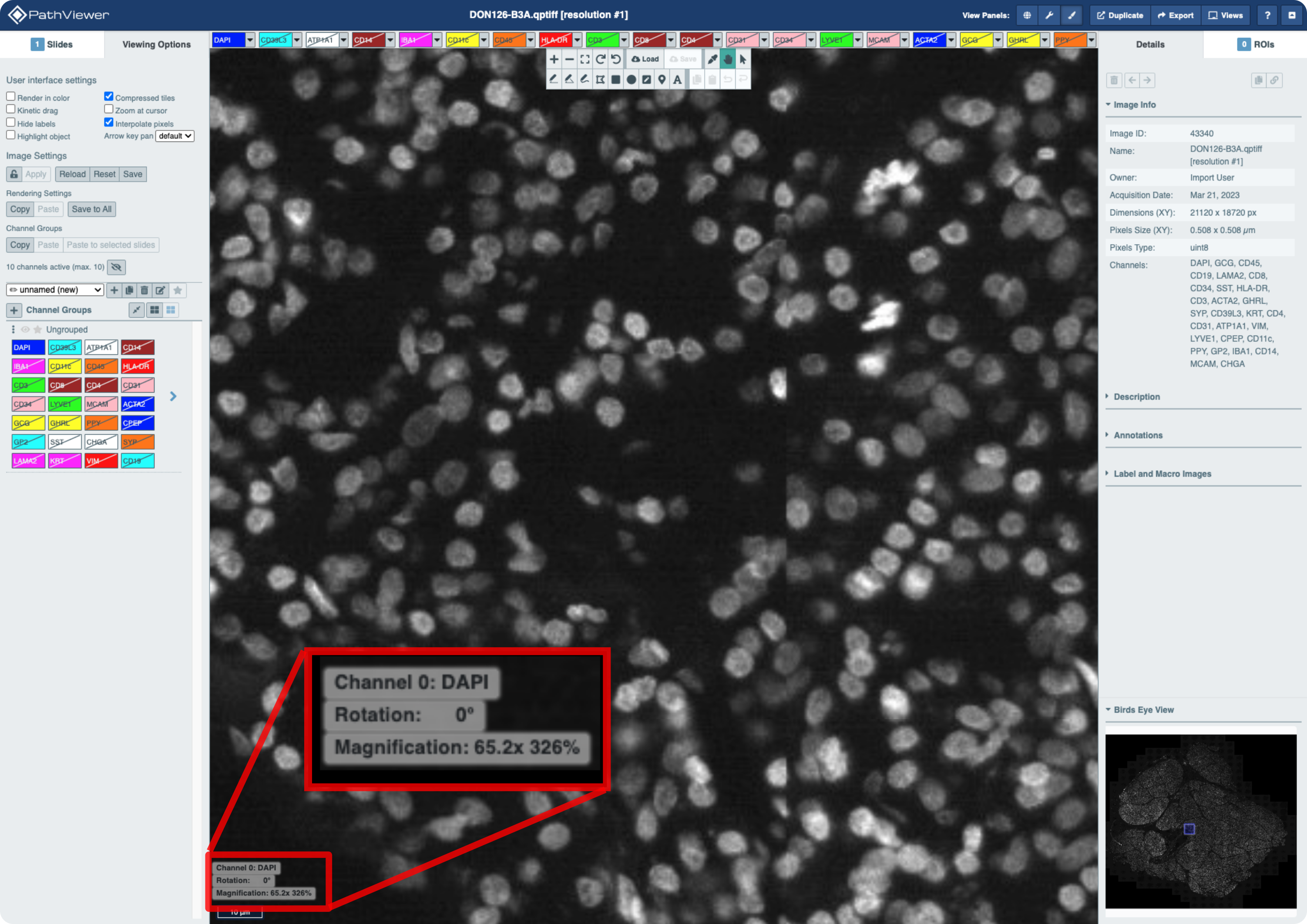
When in Greyscale mode, the active channel is now displayed alongside Magnification and Rotation of the image in the bottom left corner.
Improved Data interaction
Inspect object values upon hover
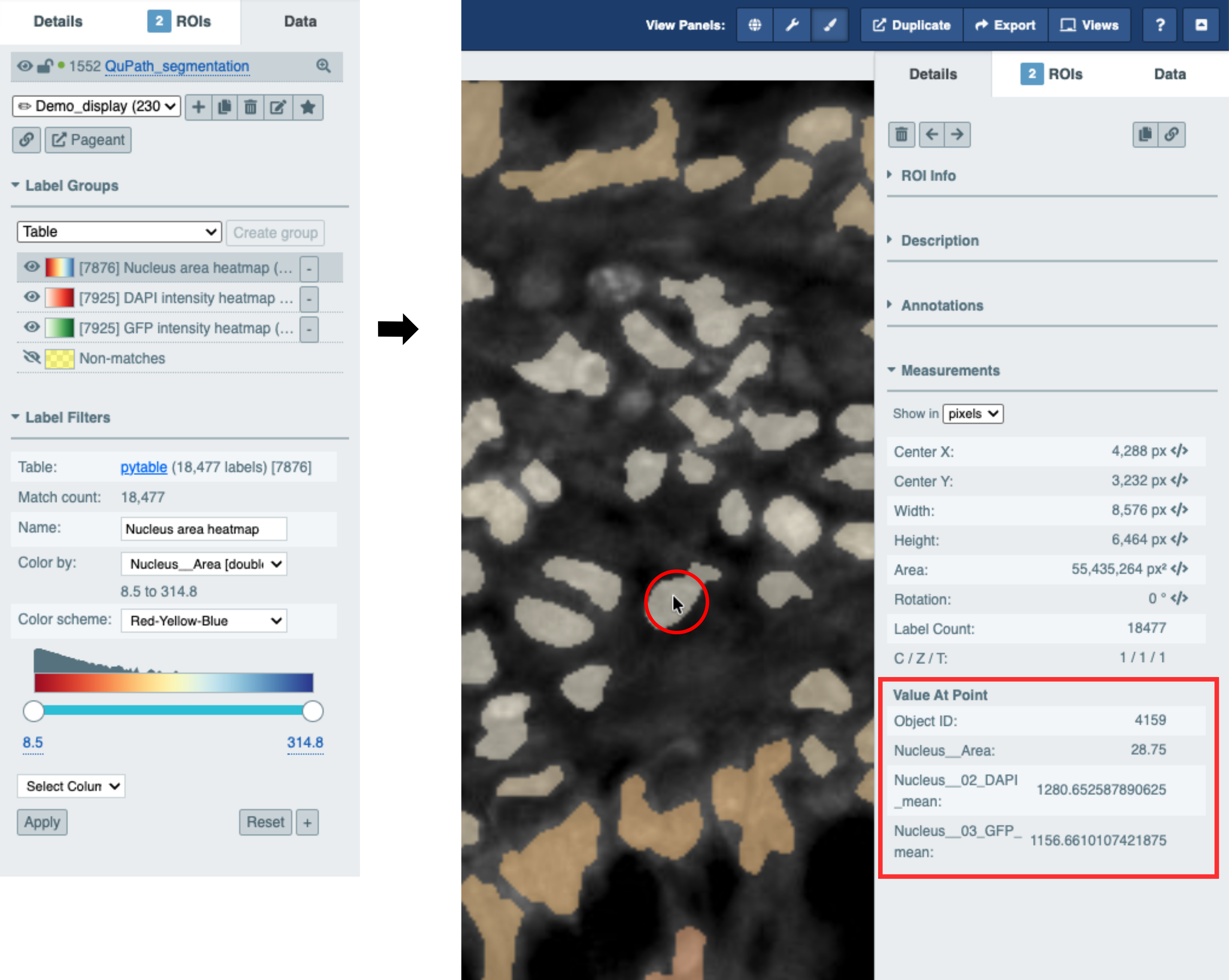
Variables used for creating label groups are now displayed under Measurements in the Details tab, so that upon hover you can inspect object values for those variables.
Interactive histograms for label group creation
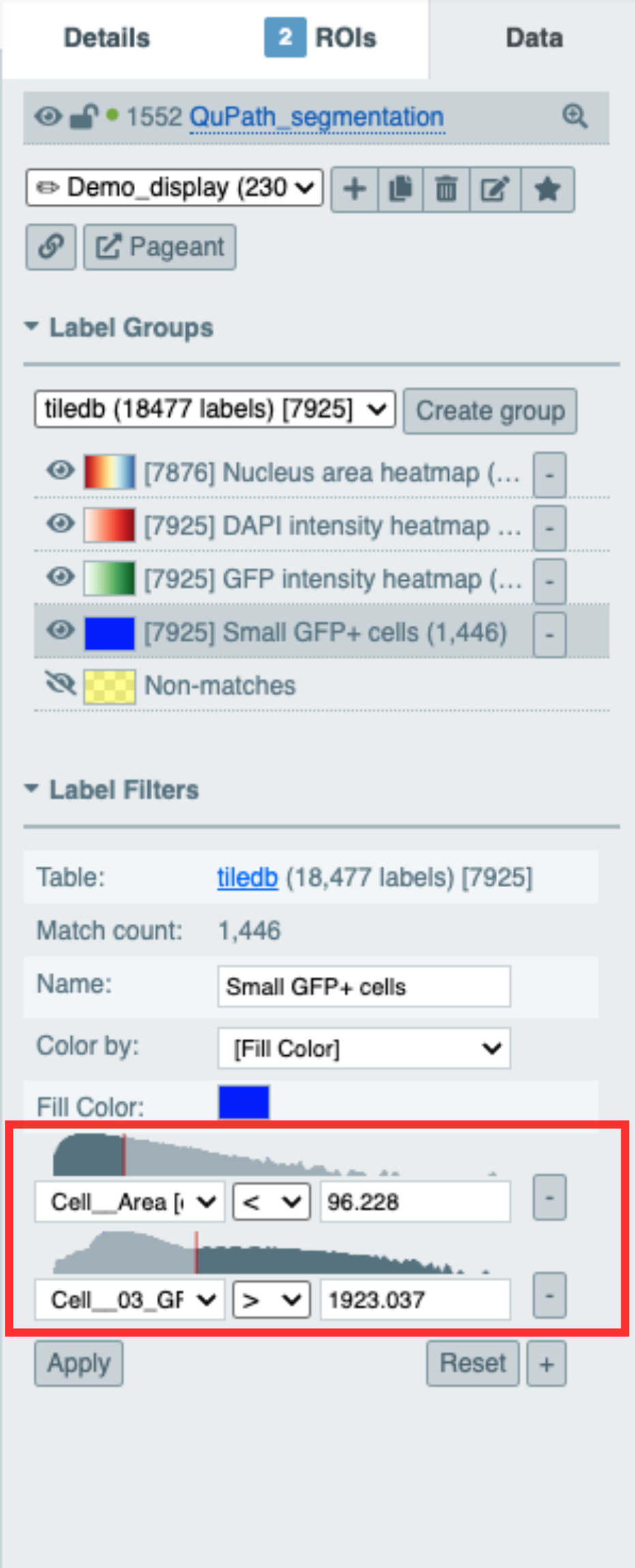
When creating label groups, interactive histograms of selected table values are displayed to aid filtering and thresholding of those values.
Bugfixes and maintenance
- Prevent color picker menu from extending off-screen
For a complete list of changes, visit our changelog. To revisit recent updates and see how today’s improvements build on earlier work, read our previous release notes here PathViewer 3.16.1, PathViewer 3.15.0, and PathViewer 3.14.0.
We continue to evolve PathViewer based on your needs, and we’d love to hear from you! Share your experiences and suggestions with us at support@glencoesoftware.com.